

- Upgrade Your YouTube Experience.VisionPlay for YT — VisionOS-Exclusive Features
- Upgrade your video experience with up to 1.4× larger massive screen
- Freely control the color and transparency of the surrounding space
- Save favorites without logging in
- Display favorites as widgets
- Comfortable controls optimized for Vision Pro
- More original features coming soon
- [Our Commitment to a Comfortable Viewing Experience]
- [Use with Peace of Mind]
- [A Word from the Developer]
- [About Subscription]
- [About Auto-Renewal]
- [How to Cancel]
- [If You Encounter Any Problems While Using the App]
Upgrade Your YouTube Experience.VisionPlay for YT — VisionOS-Exclusive Features

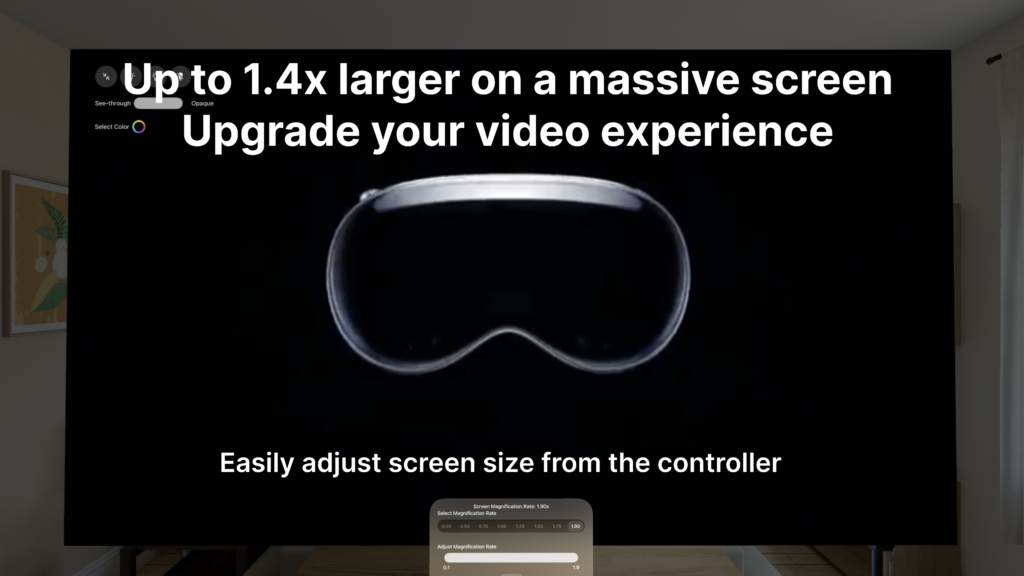
Upgrade your video experience with up to 1.4× larger massive screen
Immerse yourself in stunning visuals with a screen up to 1.4× larger for greater impact.
*Experience this by setting the screen size to 1.9× in this app’s fullscreen mode.
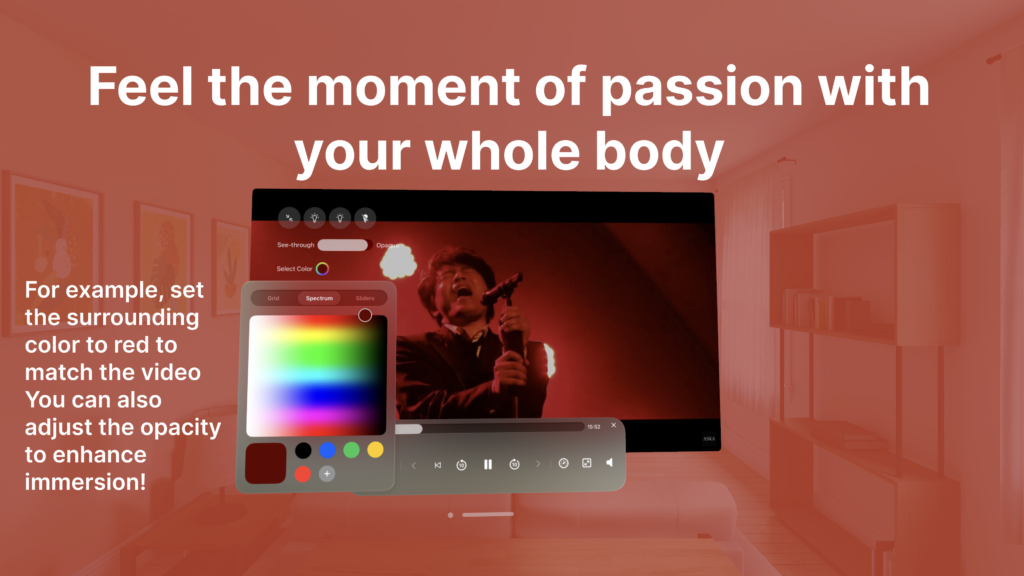
Freely control the color and transparency of the surrounding space
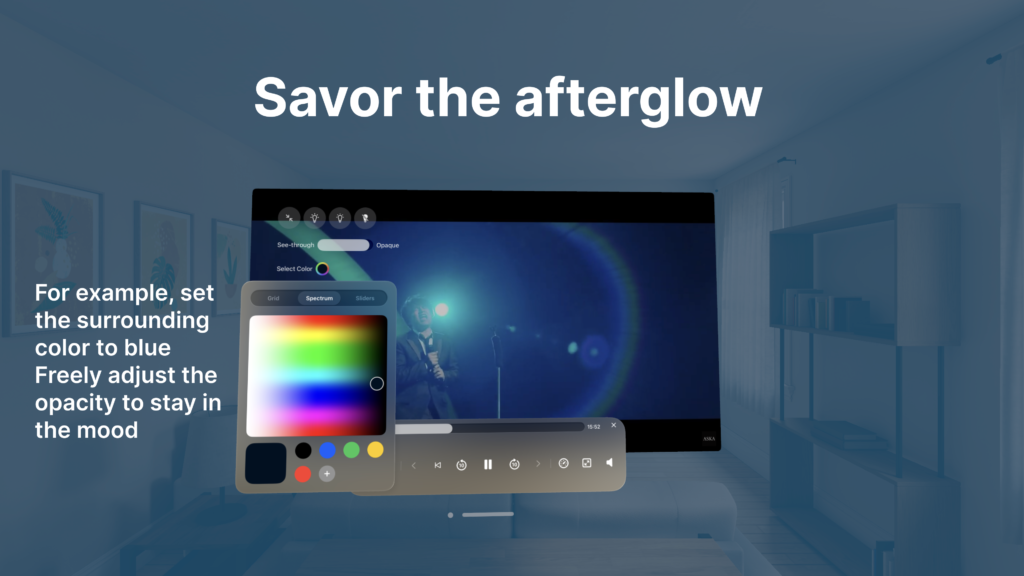
Customize the color and transparency of the space surrounding your video.
For passionate scenes, surround yourself in red. For calm, lingering moments, immerse yourself in blue.
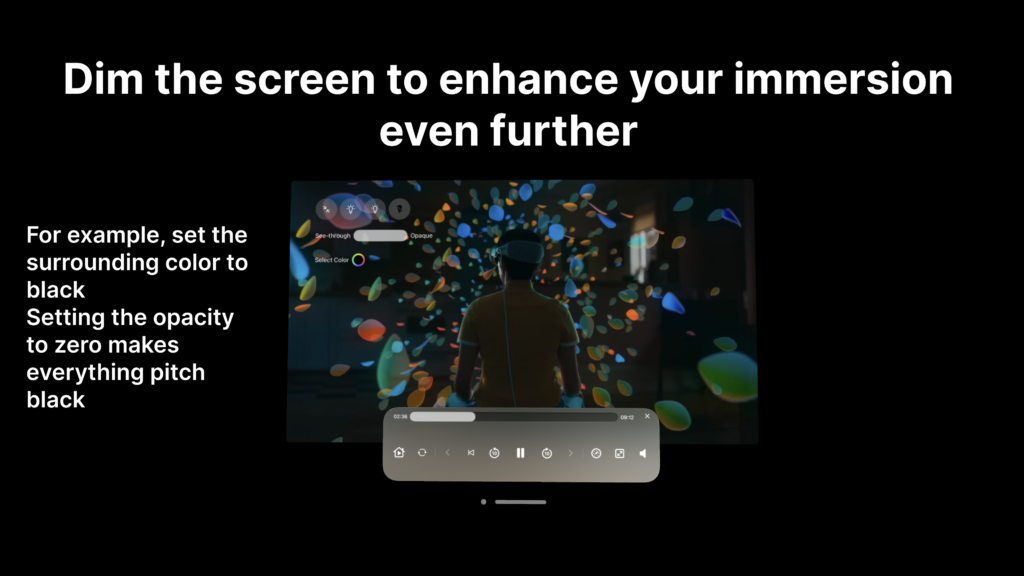
You can even create a completely dark space to focus solely on the video.
*An immersive experience available only in this app.
Save favorites without logging in
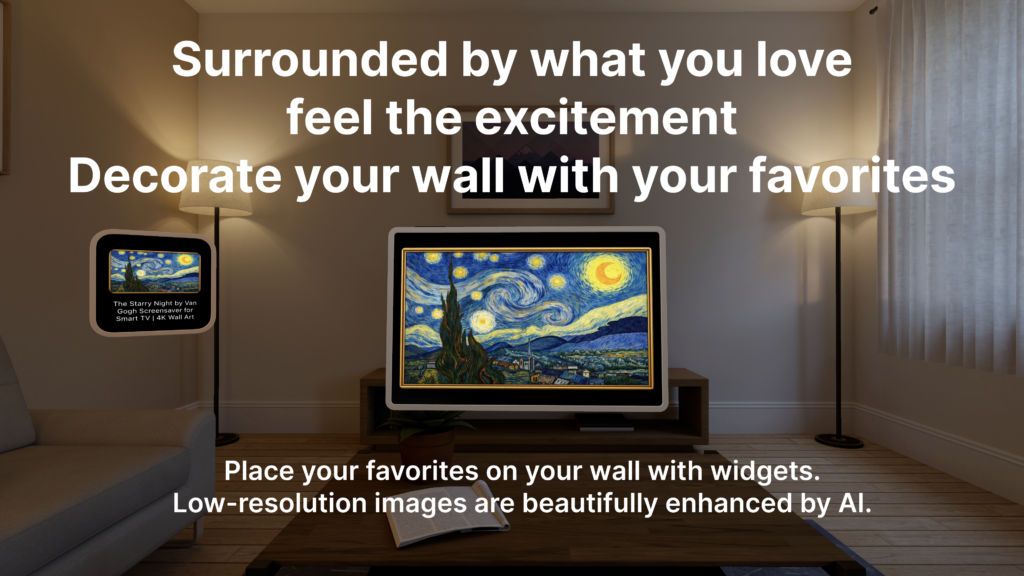
Display favorites as widgets
Decorate your wall with your favorite thumbnails as widgets.
Place your favorite musician’s image like a poster, or display artwork from your favorite painter to turn your room into a gallery.
Comfortable controls optimized for Vision Pro
Does operating YouTube sometimes feel complicated?
This app features a controller designed from scratch specifically for Vision Pro,
delivering an intuitive and smooth navigation experience.
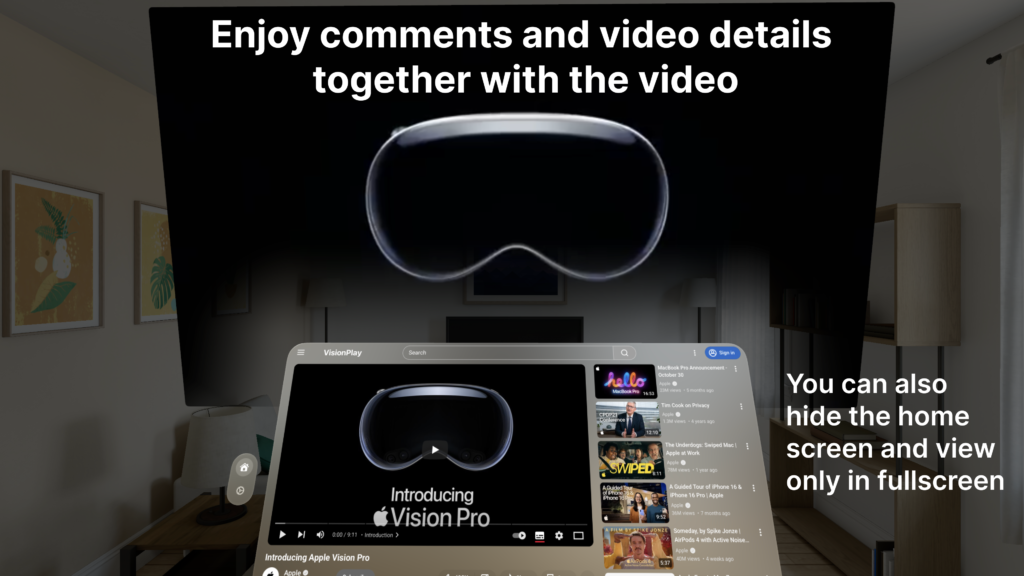
together with the video
・Fullscreen playback + simultaneous display of comments and video details, with search available
Enjoy a new experience where you can watch videos in fullscreen while viewing comments and detailed information at the same time.
You can also open the home screen during fullscreen playback to search for other videos.
*Close the home screen anytime to focus entirely on the fullscreen video.
More original features coming soon
We will continue adding exclusive experiences for Vision Pro users.
This app will keep evolving alongside visionOS.
[Our Commitment to a Comfortable Viewing Experience]
・Seamless playlist playback in fullscreen
Enjoy playlists without interruption on a massive fullscreen display.
Immerse yourself from the first video to the last.
[Use with Peace of Mind]
・Available without login
You can use the app without logging into a YouTube account.
No personal information is collected.
・Privacy-conscious design
Although this is a third-party app, it is designed not to collect or store personal data such as login credentials or watch history.
Use it safely with confidence.
[A Word from the Developer]
Just watching wasn’t enough.
I personally enjoy live performances of my favorite musicians
by darkening the surroundings and enlarging the screen to 1.9×,
creating an overwhelming visual space even more powerful than standing in the front row.
I wanted to share that immersive, joyful experience with more Vision Pro users.
That passion led me to develop this app.
A brand-new YouTube experience created exclusively for Vision Pro —
immerse yourself completely in the space of the video.
Customize and enjoy your own perfect immersive environment.
[About Subscription]
This app is available with a subscription plan.
You can try all features free for the first month.
- Monthly Plan: First month free, monthly fee thereafter (see app settings)
- Annual Plan: First month free, annual fee thereafter (see app settings)
[About Auto-Renewal]
Subscriptions are automatically renewed unless canceled at least 24 hours before the end of the current period.
Billing will occur within 24 hours prior to the end of the current period.
[How to Cancel]
You can cancel anytime from the Apple ID management screen in the “Settings” app.
[Terms of Service]
https://vision-play.heart-relay.com/terms-of-service/
[Privacy Policy]
https://vision-play.heart-relay.com/privacy-policy-2/
[If You Encounter Any Problems While Using the App]
If any issue occurs, please force quit and restart the app.
To force quit, press and hold both the Digital Crown and the Top Button on the Vision Pro simultaneously.
Then select this app from the list of background apps to close it and restart.